Motion design workspace
Create motion graphics online.
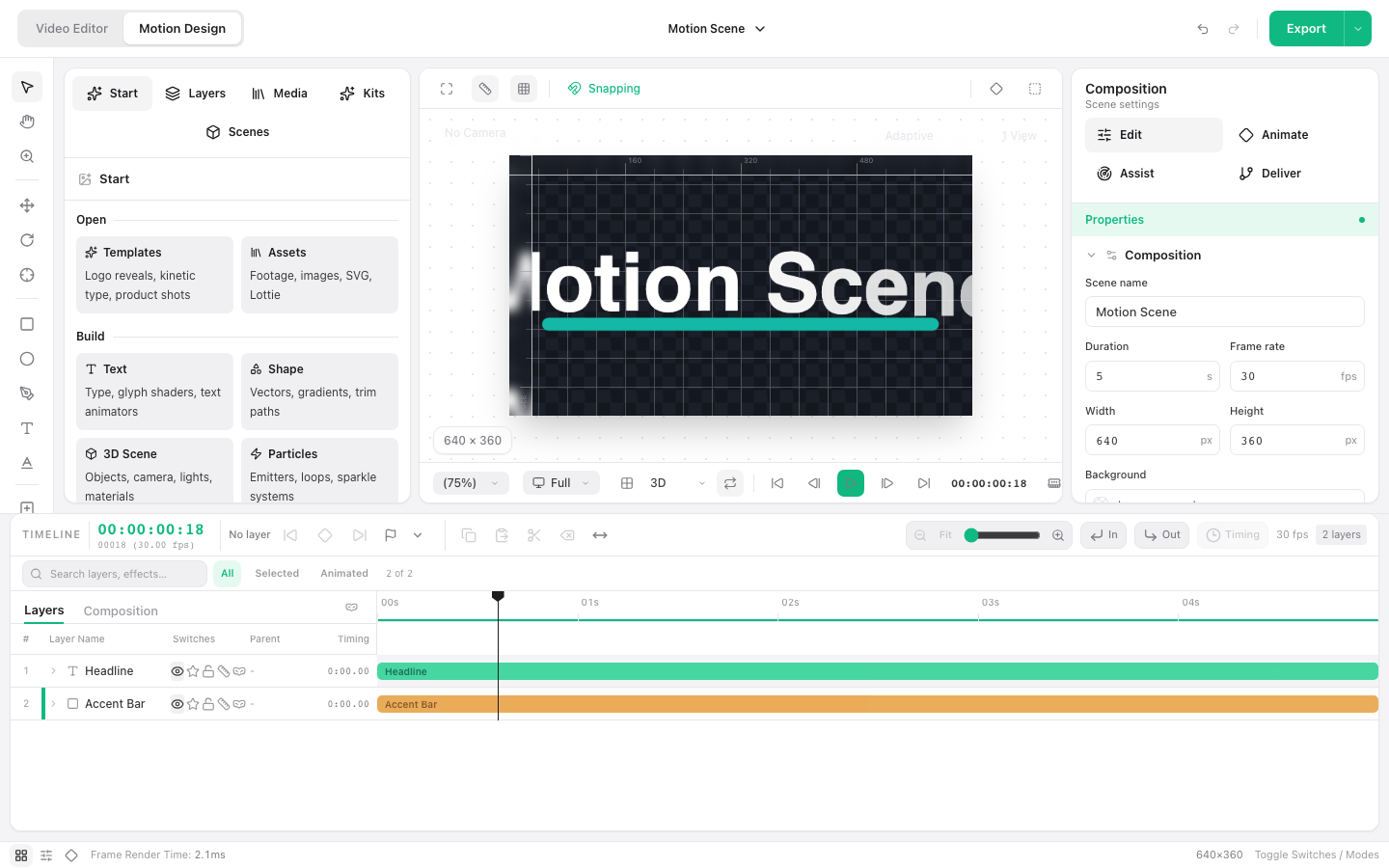
Build layered motion compositions with text, shapes, keyframes, particles, and 3D scene tools in a desktop browser.
Open Motion Design
Launches the dedicated motion graphics workspace.
Requires a current desktop browser. No account is required.
A dedicated composition workspace
Motion Design separates scene construction, layer timing, animation, and delivery. It is intended for title cards, graphic sequences, visual loops, and elements that can feed a larger edit.
How to create motion graphics online
Set the composition
Choose the canvas dimensions, frame rate, background, and duration for the scene.
Add visual layers
Create text, shapes, imported media, particles, or supported 3D scene elements.
Animate the layers
Set keyframes and timing, then refine motion in the layer and property controls.
Preview and deliver
Play the composition, check the final frame, and use the delivery controls to export.
Ways to use this workflow
Logo reveal
Animate a mark and supporting type for an intro or outro.
Title card
Build a self-contained graphic opener for a video or presentation.
Motion overlay
Create a reusable animated element for a larger editing project.
Browser limit: Motion Design is a desktop workspace. Complex 3D scenes and particle systems depend on available graphics performance and browser memory.
Frequently asked questions
What can I animate?
The workspace supports layered text, shapes, media, keyframes, paths, particles, and 3D scene tools.
Is Motion Design separate from the video editor?
It is a dedicated workspace inside the same editor module, with its own composition and layer timeline.
Does it require an account?
No. You can open the local Motion Design workspace without registering.
Does it work on a phone?
No. The motion workspace is designed for desktop and laptop screens.